Everything posted by Grantmac
-
As a cold water Sony shooter I prefer the ergonomics of the S&S (I'm on an original set of D2) vs the Z240 that I've also used. Mainly the manual pre flash cancel is easier to activate and the color change showing mode. I'd like to see some longer term reviews of the new strobe they just released and hopefully these D2s last until the durability on those is known.
-
Welcome! What body did you upgrade to?
-
There are 3D printing models for a simple zoom gear, which doesn't allow the macro function but otherwise works. I find with that lens using a diopter gets you similar performance to the macro function. It's just a little more work to juggle underwater. The port 29 is probably the simple option for your existing lenses.
-
Another option is the port 65 and 12-50ez, has to be at 14mm or so but a very good combo.
-
$500usd includes two batteries, charger and Olympus flash. Looks mint. Just not using it and perhaps someone knows an aspiring photographer who can.
-
Fantastic! Although I mostly scuba I also enjoy breath hold photography in kelp forests.
-
Precisely
-
118mm OD 45mm height It's a wet lens but these dimensions should work
-
Oooo I'd like one of those for my Sea&Sea 12mm, it needs the bump protection. You have a parametric model?
-
Welcome! TG to FF is a big jump!
-
A buddy just got one for his XT4, not many companies doing Fuji housings. He's extremely impressed.
-
Even slightly older mirrorless are pretty cheap. If I could get $600 for this EM5MK2 and housing I'd be happy. Instead I think it'll become a loaner camera.
-
For not much more than servicing your existing housing you could probably get into a used mirrorless set-up, especially something M4/3. That would offer some of the versatility of the TG7 and stay fairly compact. You can also adapt Canon lenses fairly well. The used market cuts both ways in terms of value and so an older crop DSLR probably won't net you a ton, especially if it's overdue for a service.
-
It's probably a good idea to look at what sort of pictures you want to take and what your budget is. Potentially looking at a more modern Canon to use some of your existing lenses and ports?
-
Interesting.... I have only experience with using the built in flash on the A6300 and A6400 which from what I can tell have no ability to disable pre-flash. I'm moving into an A7RIII which has no internal flash and it was my intent to just run a manual trigger. None of which really relates to this flash. Please carry on.
-
I've gotten in a couple of dives with the 12mm fisheye on an ASPC camera. Perspective is nice but definitely not all that sharp, although uniform across the FOV. Feels like a 20mm rectilinear equivalent on the smaller sensor. Did some pool testing today, at f3.5 and infinity focus everything from a meter out is basically in focus as it'll get. I might be in the situation of needing to get the camera moved closer to the lens.
-
Can you explain how the Sony WL command, which is RF based, works underwater?
-
Another good reason to switch to a long hose/primary donate.
-
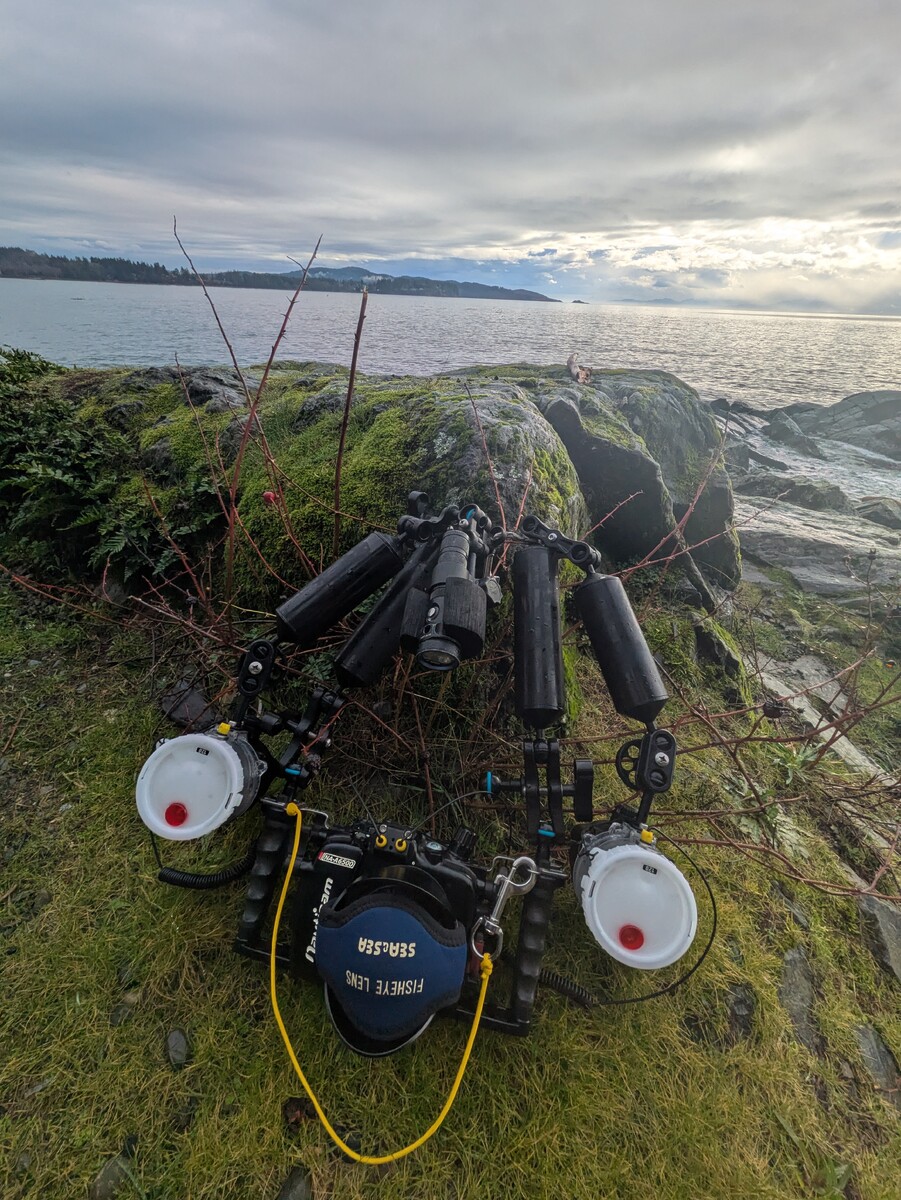
This is how I'm setup. Those Nauticam MP clamps are very versatile.
-
I'll snap a picture today. It's working well.
-
I have a Kraken WSR1500 and I mount it on the top ball clamp on my arms, which is a Nauticam MP with extra ball. Gives more of a top down light and I can swing it back to illuminate the buttons on my housing if needed. Seems to stay out of the way better than mounting on the housing. Cold shoe mount is my least favorite.
-
Oh I have two Nauticam pumps, one with the end completely ruined and the other mot far behind. That print will be brilliant.
-
It's really the same as a port.
-
The lens has a rather significant o-ring which seals to the adapter.
-
Reef Photo & VideoInon M67 Lens ArmThe Underwater Imaging Professionals. Your resource for underwater photo & video needs from underwater housings & cameras to lighting & used gear.Would work nicely as a handle